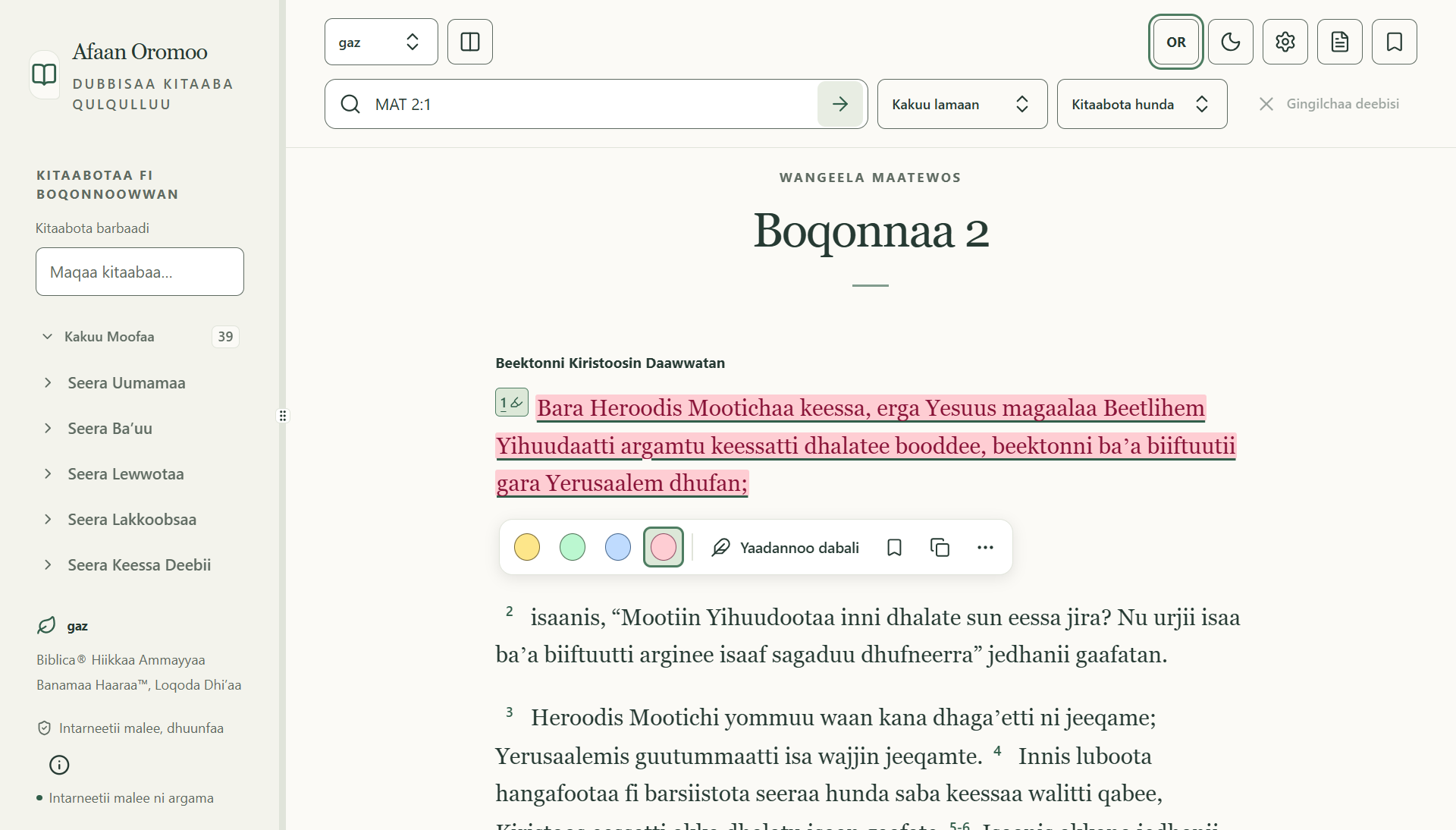
Find your place.
Search words, phrases and passage references offline. Move through Afaan Oromo book names, chapters and filtered results with ease.
Reading that remembers where you left offRead, search and reflect on Scripture, even offline.
A thoughtful desktop reader that keeps your passages and personal study close.
Windows beta Experimental macOS & Linux builds
MADE FOR THE MOMENTS THAT MATTER
From a familiar passage to a new question, keep the tools you need within reach—and your attention on what you’re reading.
Search words, phrases and passage references offline. Move through Afaan Oromo book names, chapters and filtered results with ease.
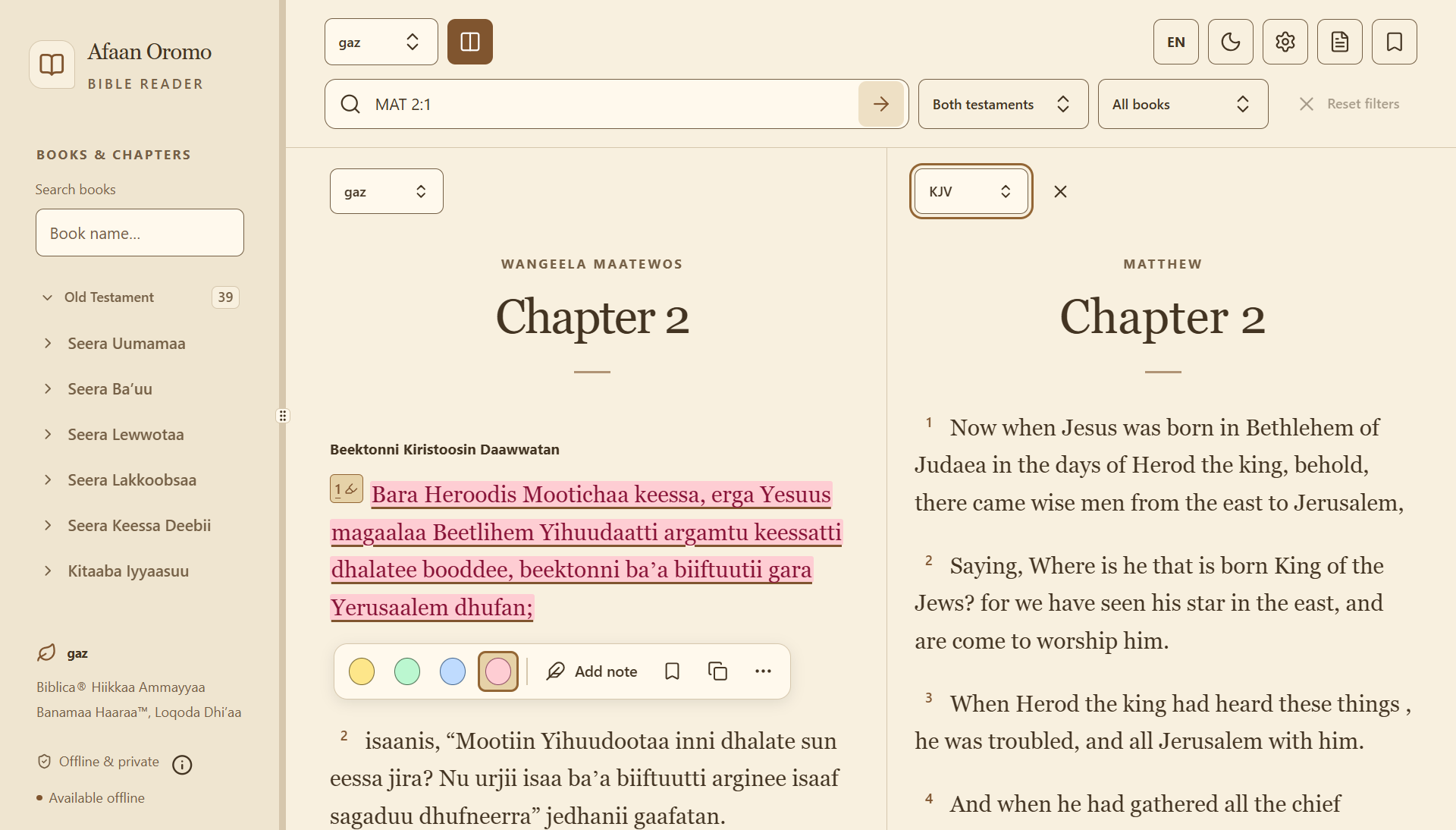
Reading that remembers where you left offOpen two local editions side by side. Compare passages in Afaan Oromo and English while following the same book and chapter.
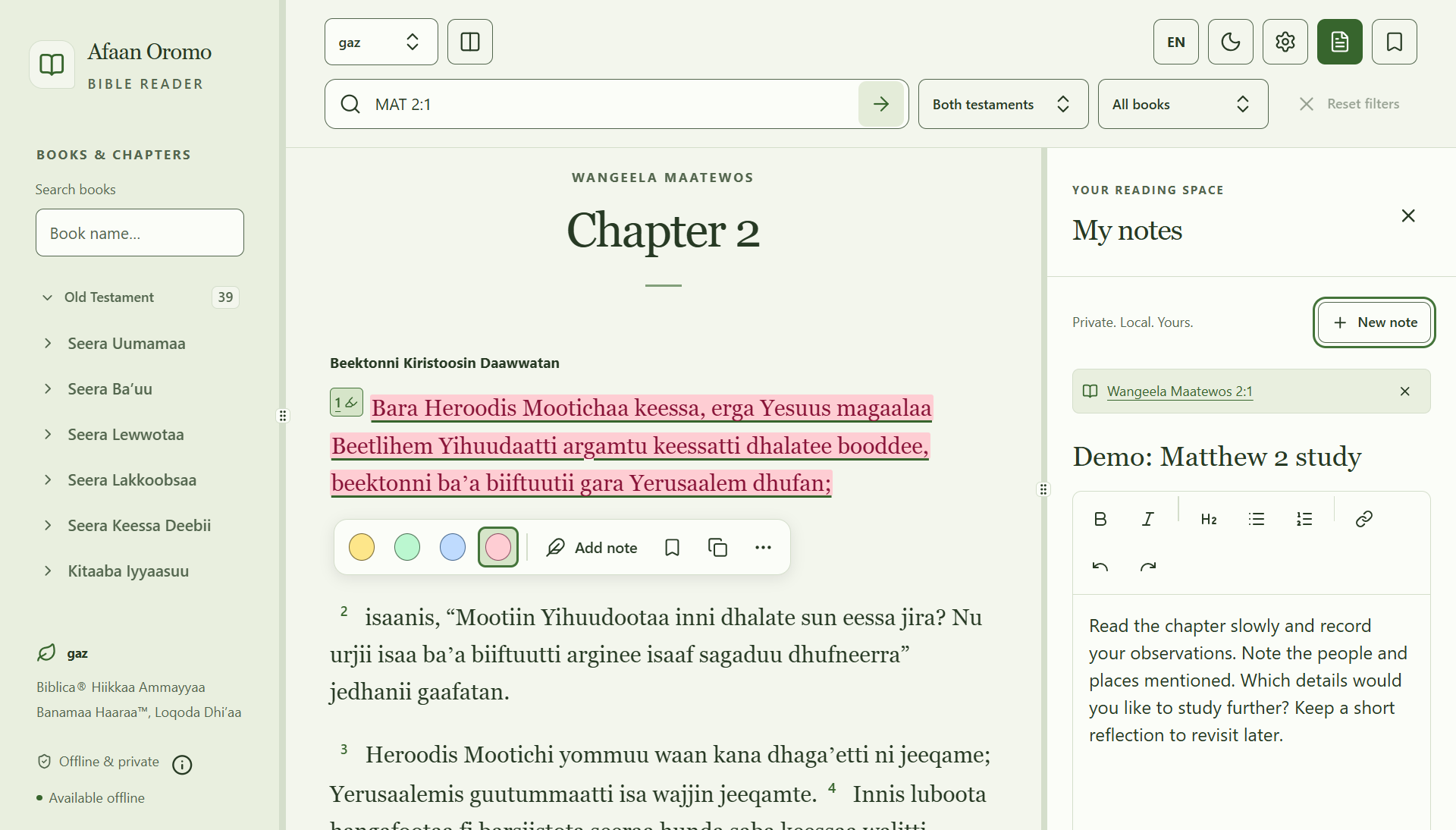
Another perspective, right beside youHighlight a verse, save a bookmark or write a personal note. Keep your thoughts beside a passage, or begin a standalone study.
A reading space that becomes your ownExport a note as PDF, Word or Markdown. Make a separate backup of your personal records so you have a copy to keep.
Your reflections, beyond the reading paneA CLOSER LOOK
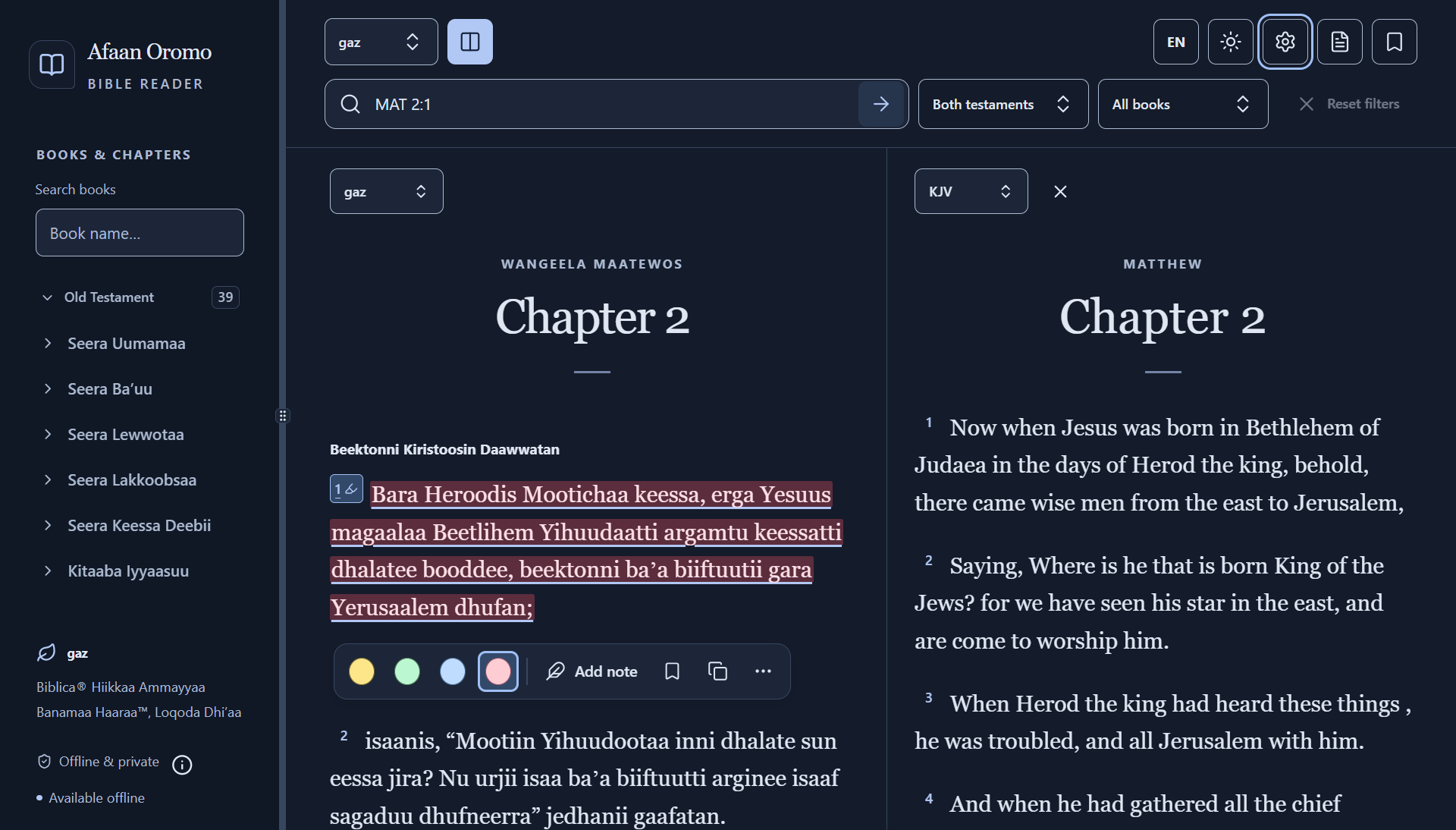
Choose your palette, adjust the text and settle in. English and Afaan Oromo controls let you use the reader in the language that feels natural.
Read Oromo and KJV side by side. Comparison follows book and chapter; verse numbering and wording may differ between editions.
Write and format a note while the passage stays in view. The note shown here is illustrative demo content, not a personal record.
Five palettes, each with light, dark or system appearance. Adjust Scripture size, spacing and reading width to find your comfortable rhythm.
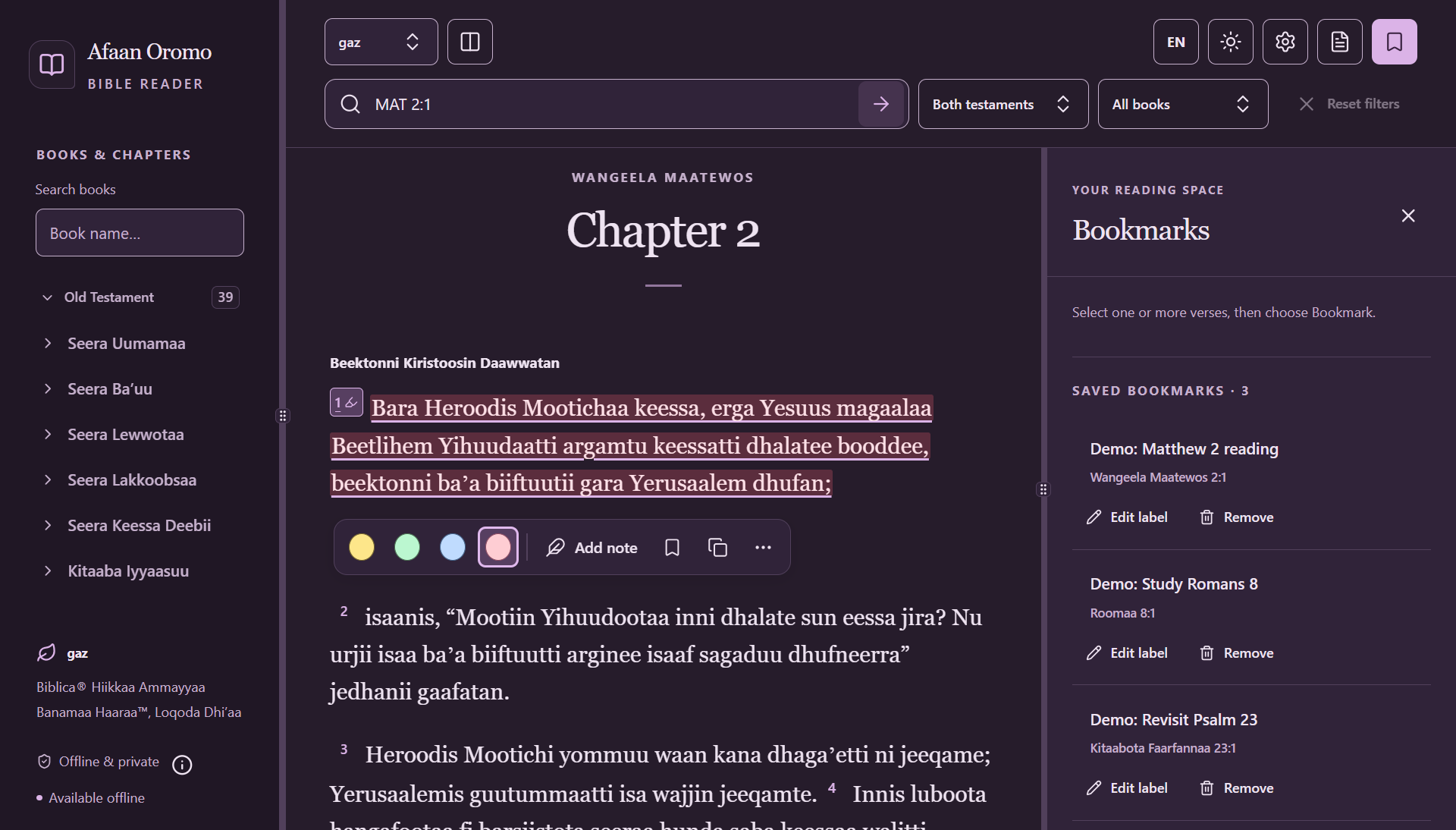
Give saved passages a useful label and return when you’re ready. These bookmark labels are illustrative demo content.
Authentic screenshots of the Windows beta.8 app, captured in an isolated demo profile.
WORDS TO READ. EDITIONS TO EXPLORE.
Installed with the reader and available offline after setup.
Biblica® Open New Oromo Contemporary Version™, Western
Biblica® Open Oromo Contemporary Scriptures™
The classic English translation for reading and comparison.
Each edition retains its own copyright and licensing terms. Read the edition credits and licensing notices
Choose your platform to try version 0.1.0-beta.8.
These are prerelease builds. Your careful feedback helps shape what comes next.
For x64 PCs · Setup executable
Unsigned beta, tested on Windows 11 x64. Microsoft Edge WebView2 is required; setup may download it if missing.
Windows installation guideChoose the chip inside your Mac.
Testing builds with ad-hoc signatures; not Developer ID signed or notarized. Gatekeeper may block opening. Follow the testing guide.
Mac testing & installationUbuntu 24.04 LTS · x64 / amd64
Unsigned testing package, without a release-key signature. Installing system dependencies may need internet. Other distributions are not qualified.
Linux testing & installationWindows is the current public beta; Mac and Linux are experimental testing downloads. No build is a fully qualified production release. Back up your personal records before testing or updating.
A FEW HELPFUL ANSWERS
A little guidance for getting started.
Read the user guideYes. After the app and its prerequisites are installed, core reading, search, comparison, notes and exports work locally without an account. The first installation may need internet to download Windows WebView2 or Linux system dependencies. A fully disconnected first setup on a clean computer is not yet qualified.
The Windows beta was tested on Windows 11 x64 and needs Microsoft Edge WebView2. Mac packages are separate for Apple silicon and Intel; they target macOS 14 or later, with native startup checks on macOS 15, not full platform qualification. Linux testing targets Ubuntu 24.04 x64 and requires GTK3/WebKitGTK 4.1 dependencies.
Windows and Linux packages are unsigned; Mac builds use ad-hoc signatures and are unnotarized. Read the installation instructions and platform testing guide before installing. Checksums help detect changed files; they do not authenticate the publisher.
The beta includes gaz 2022 (Western Oromo), OOCS 2024 and the English King James Version. These are local editions. NIV and the planned 1997 Afaan Oromo edition are not included. Switching the app’s interface language does not change the Bible edition you are reading.
See edition credits and licensing for each resource’s terms.
Personal records are stored on your computer, separately from the bundled Scripture libraries. Core features do not require an account or a hosted app backend. There is no cloud sync. Exported notes and backups can contain private writing, so store and share them thoughtfully. Uninstalling may leave personal data and exported files behind.
More detail is available in the privacy notice.
Use the app’s personal-data backup to export your records as JSON, and keep an independent copy. You can also export individual notes as PDF, Word or Markdown; a note export is different from a full personal-data backup. Restoring a backup replaces current personal records after validation and confirmation, so export your current records first. Compatibility across beta versions is not guaranteed.
Follow the backup and restore guidance in the user guide.
The reader is still being refined. Language and editorial review, accessibility checks, clean-computer installation and final platform qualification remain in progress. Mac and Linux builds are experimental. Expect issues and keep backups of important study records.
The beta notice describes known limitations. A biblical atlas and expanded study tools are planned; they are not included in this beta, and no release date is promised.
Use the GitHub issue form. Include the app version, operating system and architecture, edition and passage, what you expected, and steps to reproduce the problem. Suggestions about usability and Afaan Oromo wording are welcome.
Issues are public. Remove personal information from screenshots and do not attach private notes, complete backups or credentials.
For a security concern, follow the security reporting instructions instead.

ABOUT THE DEVELOPERS
We build software and websites, design systems, and provide systems engineering consultancy.
This independent reader is a focused space for Afaan Oromo Scripture and personal study.
1hubengineering.com info@1hubengineering.com Lebu, Addis Ababa, Ethiopia Help us improve the readerGROWING WITH YOUR FEEDBACK
A clearer label. A smoother reading flow. Something that needs fixing.
Your experience can help shape a more thoughtful reader.